KryoZon H1 MAX Halbleiter Laptop Kühlpad

KryoZon H1 MAX Halbleiter Laptop Kühlpad

Angebotspreis  $59.99 Normaler Preis  $65.00
Zu Produktinformationen springen
KryoZon H1 MAX Halbleiter Laptop Kühlpad

KryoZon H1 MAX Halbleiter Laptop Kühlpad

Angebotspreis  $59.99 Normaler Preis  $65.00
  • Halbleiter-TEC-Kühlung — Kühlt schneller als ein Kühlschrank.
  • Federnd gelagertes Kontaktmodul — Maximale Kühlleistung.
  • Kühlposition um 108 mm verstellbar — CPU/GPU-Hotspots präzise ansteuern.
  • Ultraleise 25 dB — Leiser als ein normales Gespräch.
  • CNC-Aluminiumlegierung — Hochwertige eloxierte, sandgestrahlte Oberfläche.
  • 5-stufige Neigung — Ergonomischer Winkel von 12 bis 42 Grad.
Gratisversand ab 35 $
Lieferung in 6–15 Tagen
30 Tage Rückgaberecht
Sicherer Checkout

Entwickelt für
eiskalte Kühlung

Originaldetail des H1 MAX Kühlventilators

Leiser Lüfter

Nur 25 dB

Vollständiger H1 MAX mit metallischer Halbleiter-Kühlfläche

Halbleiterkühlung

Kühlt schneller als ein Kühlschrank

Originalabbildung des federnd gelagerten Kühlmoduls

Federnd gelagertes Kühlmodul

Fest andrücken, schneller kühlen

Originaldetail der CNC-Aluminiumhalterung

Halterung aus Aluminiumlegierung

CNC-präzisionsgefräst

Originaler Stützrahmen mit fünf Neigungspositionen

5-stufige Neigung

Ihr perfekter Winkel

Halbleiterkühlung der nächsten Generation

Ersetzt herkömmliche lüfterbasierte Wärmeableitung

Die Kühlfläche nimmt Wärme schnell auf und hält Ihren Laptop eiskalt

KryoZon H1 MAX Diagramm zur Halbleiterkühlung

Flüsterleiser Betrieb

Ultraleiser Lüfter | Nur 25 dB

Dank Geräuschminderungstechnologie arbeitet der Lüftermotor mit einem nahezu lautlosen Geräuschpegel von 25 dB

KryoZon H1 MAX vollständiges Geräuschvergleichsdiagramm

Maximale Flexibilität — verstellbares Kühlmodul

Positionieren Sie das Kühlmodul frei auf dem Ständer, damit die Lüftungsöffnungen Ihres Laptops für maximale Effizienz frei bleiben

KryoZon H1 MAX Diagramme zu verstellbarer Position, Kontakt und Temperaturverlauf

Liebe zum Detail

Originaler Stützrahmen mit fünf Neigungspositionen

5-stufige Neigung

Ihr perfekter Winkel

Originalabbildung der H1 MAX Stromversorgung

5-V-Stromversorgung

Geräuscharme Leistung

Original-Nahaufnahme des Type-C-Anschlusses und des grauen Gehäuses

Type-C-Anschluss

Universelles Anschlussdesign

Breite Kompatibilität — für Laptops mit Metallgehäuse

Mit den meisten Laptops kompatibel. Für Laptops mit Metallgehäuse optimiert.

12–18″Funktioniert am besten mit Metalloberflächen
KryoZon H1 MAX Diagramm zur Laptop-Kompatibilität und Metalloberfläche

Technische Daten

Maße, Leistung und Kompatibilität.

Kühlart
Halbleiter-Direktkontaktkühlung
Verstellweg des Kühlmoduls
108 mm
Lüftergeräusch
Ab 25 dB
Neigungsbereich
5 Stufen / 12–42°
Material
CNC-Aluminiumlegierung
Oberfläche
Eloxiert und sandgestrahlt
Leistungsaufnahme
Type-C / 5 V / 1,7 A / ca. 8,5 W
Größe
240 × 206 × 16 mm
Gewicht
530 g
Kühlfläche
147 × 95 mm
Lüfterdrehzahl
2800 U/min
Kompatibilität
12–18 Zoll / Metall-Bodenplatte
Garantie
12 Monate

Package inventory / H1 MAX

What's in the Box

The cooling module, stand, power cable, and setup guide are presented as one clear package inventory.

H1 MAX semiconductor cooling module

Cooling Module

Direct-contact semiconductor cooler

01
Foldable aluminum laptop stand included with H1 MAX

Aluminum Stand

Multi-angle laptop support

02
USB-A to USB-C power cable included with H1 MAX

USB-C Power Cable

03
H1 MAX printed user manual

User Manual

04

Vergleichen

Welcher KryoZon-Kühler passt zu dir?

Vergleiche Kühlsystem, Passform und Steuerung, bevor du dich entscheidest.

Vergleich der KryoZon Laptop-Kühler
Modelle 4 Optionen
Du siehst gerade
KryoZon H1 MAX Halbleiter Laptop Kühlpad

H1 MAX

Leise Direktkontaktkühlung für Metall-Laptops im Alltag.

Arbeitsplatz
KryoZon H1 PRO Kühler für Laptop mit Halbleiter-Stand

H1 PRO

CNC-Aluminiumständer mit aktiver Kühlung durch zwei Turbogebläse.

Schreibtisch-Setup
KryoZon H4 PRO laptop cooling stand with integrated storage drawer for desk organization

H4 PRO

Erhöhter Kühlständer mit integriertem Stauraum für den Schreibtisch.

Maximale Leistung
KryoZon H7 Halbleiter-Laptop-Kühlpad mit 8 Lüftern

H7

Leistungsstarke TEC- und 8-Lüfter-Kühlung für große Gaming-Laptops.

Ideal fürLeise Kühlung im AlltagHochwertiger ArbeitsplatzAufgeräumter SchreibtischMaximale Gaming-Leistung
Passform & Bauform12–18-Zoll-Laptops mit Metallunterseite12–18-Zoll-Laptops mit Metallboden · erhöhter CNC-Ständer12–18-Zoll-Laptops mit Metallboden · Ständer mit StauraumKühlpad für Laptops bis 21 Zoll
KühlsystemTEC-Halbleiterkühlung mit DirektkontaktTEC-Halbleiter + zwei TurbogebläseTEC-Halbleiter + zwei TurbogebläseTEC-Halbleiter + 8-Lüfter-Array
Kühlfläche147 × 95 mm170 × 67 mm170 × 67 mm160 × 77 mm
StromversorgungUSB-C · 5 V / 1,7 A · ca. 8,5 WUSB-C · 9 V / 2.4 AUSB-C · 9 V / 2.4 A9 V / 3 A · ca. 27 W · Netzteil enthalten
Gewicht530 g700 g1,000 g1,374 g
Steuerung5 Neigungsstufen · 2.800 U/min · ab 25 dB3 Lüfterstufen · 3.200 U/min3 Lüfterstufen · 3.200 U/minSeparate TEC-/Lüftersteuerung · je 5 Stufen
AuswählenAktuelles Produkt Ansehen H1 PRO Ansehen H4 PRO Ansehen H7

Vergleichen H1 MAX mit

Du siehst geradeKryoZon H1 MAX Halbleiter Laptop Kühlpad

H1 MAX

Leise Direktkontaktkühlung für Metall-Laptops im Alltag.

$65.00 USD
$59.99 USD
Aktuelles Produkt
ArbeitsplatzKryoZon H1 PRO Kühler für Laptop mit Halbleiter-Stand

H1 PRO

CNC-Aluminiumständer mit aktiver Kühlung durch zwei Turbogebläse.

$70.00 USD
$64.90 USD
Modell ansehen
Ideal für
Leise Kühlung im Alltag
Hochwertiger Arbeitsplatz
Passform & Bauform
12–18-Zoll-Laptops mit Metallunterseite
12–18-Zoll-Laptops mit Metallboden · erhöhter CNC-Ständer
Kühlsystem
TEC-Halbleiterkühlung mit Direktkontakt
TEC-Halbleiter + zwei Turbogebläse
Kühlfläche
147 × 95 mm
170 × 67 mm
Stromversorgung
USB-C · 5 V / 1,7 A · ca. 8,5 W
USB-C · 9 V / 2.4 A
Gewicht
530 g
700 g
Steuerung
5 Neigungsstufen · 2.800 U/min · ab 25 dB
3 Lüfterstufen · 3.200 U/min

Produkt-FAQ

Fragen zu Einrichtung, Kompatibilität und Kühlung.

Wie kühlt der H1 MAX einen Laptop?

Der H1 MAX verwendet eine direkt aufliegende Halbleiterkühlplatte. Für eine wirksame Wärmeübertragung muss die Kühlplatte die Metallunterseite des Laptops berühren und darf nicht auf einer isolierenden Kunststofffläche aufliegen.

Kann ich das Kühlmodul des H1 MAX verschieben?

Ja. Das Kühlmodul lässt sich über 108 mm entlang des Ständers verschieben. So kann es am heißesten Bereich des Laptops ausgerichtet werden, ohne Lüftungsöffnungen zu verdecken.

Welche Stromversorgung benötigt der H1 MAX?

Der H1 MAX wird über Type-C mit 5 V / 1,7 A versorgt, das entspricht etwa 8,5 W. Verwenden Sie eine stabile Stromquelle, die diese Leistung liefern kann.

Wie laut ist der H1 MAX?

Der H1 MAX-Lüfter hat eine Nennleistung von nur 25 dB. Der tatsächlich wahrgenommene Lärm hängt von der gewählten Einstellung, der Schreibtischoberfläche und den Raumbedingungen ab.

Was sind die Abmessungen und das Gewicht des H1 MAX?

Der H1 MAX misst 240 x 206 x 16 mm und wiegt 530 g.

Wie groß ist die Kühlfläche des H1 MAX?

Die Direktkontakt-Kühlfläche misst 147 x 95 mm. Richten Sie sie für einen möglichst guten Kontakt an der Hauptwärmequelle des Laptops aus.

Lässt sich der Neigungswinkel des H1 MAX einstellen?

Ja. Der Ständer bietet fünf Neigungsstufen in einem Bereich von 12 bis 42 Grad.

Welche Garantie wird für den H1 MAX angegeben?

Für den H1 MAX gilt eine 12-monatige Garantie. Informationen zu den Anspruchsvoraussetzungen und zum aktuellen Ablauf erhalten Sie beim KryoZon-Support. Halten Sie die Bestellnummer und einen Nachweis des Problems bereit.

  • 5 stars: 9 (82%)
  • 4 stars: 2 (18%)
  • 3 stars: 0 (0%)
  • 2 stars: 0 (0%)
  • 1 star: 0 (0%)
H
Holger T.

Honest review from someone who actually measured it
I came to the H1 MAX after extensive research into TEC/Peltier laptop cooling for a Dell XPS 13 9345 (Snapdragon X Elite, aluminium chassis). Most products in this space are either oversized pads for 15"+ gaming laptops or stands that assume you'll use an external keyboard. The H1 MAX sits in a niche of its own.
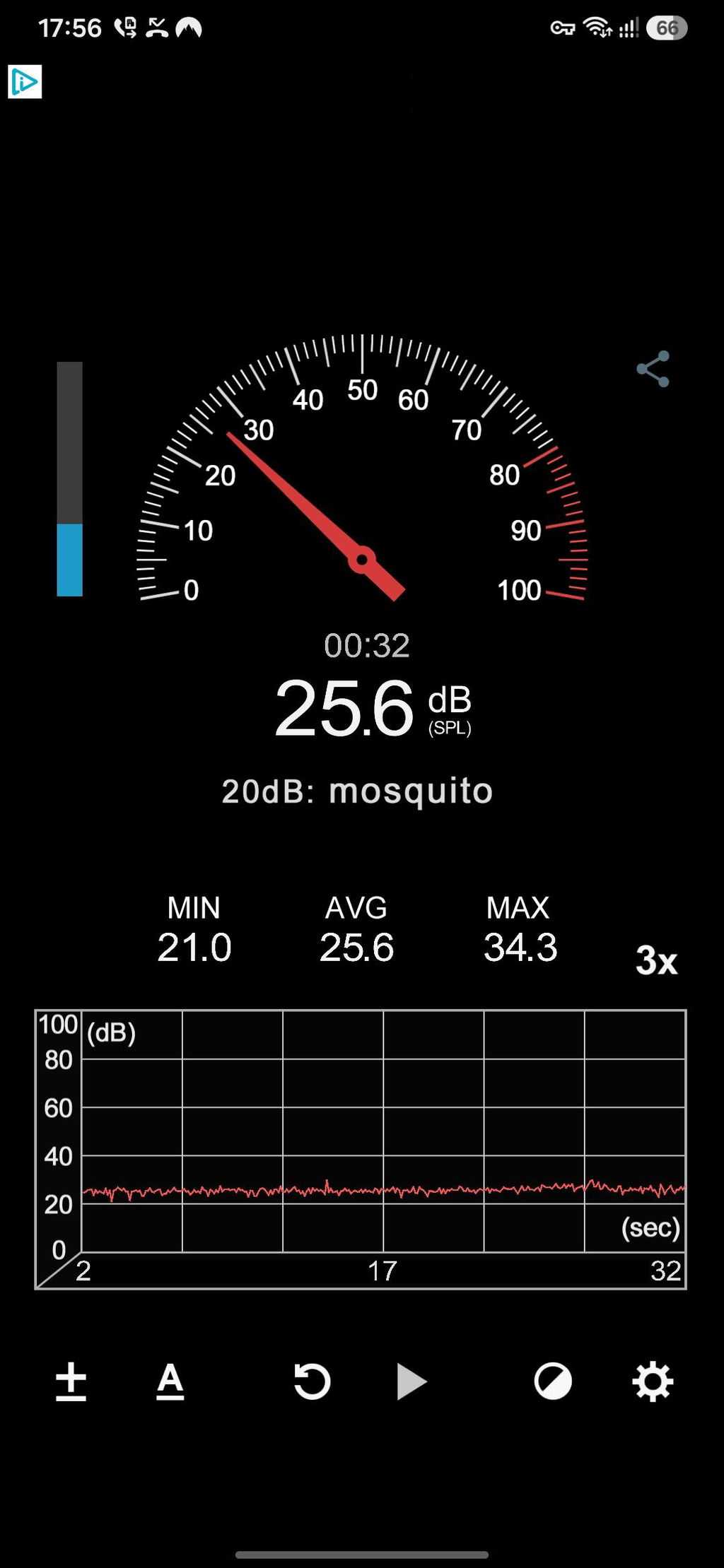
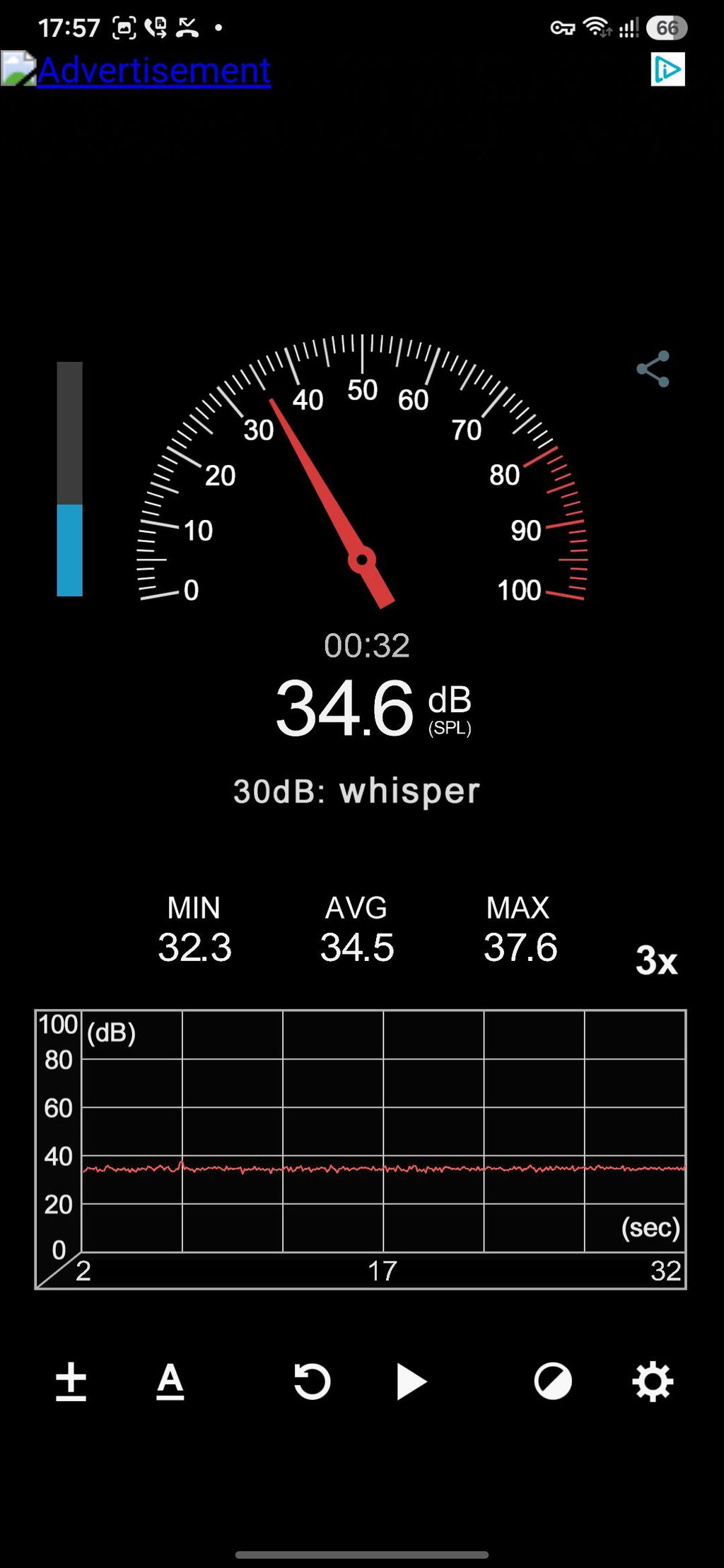
On the noise spec: The advertised 25 dB had me sceptical, so I ran the differential test Wayne from support suggested – phone at fixed ~30 cm, 32 seconds each:

H1 MAX off: AVG 25.6 dB
H1 MAX on: AVG 34.5 dB
Delta: +9 dB, no mechanical sounds at all

This is actually consistent with the spec: 25 dB measured at 1 m translates to roughly 35 dB at 30 cm (inverse square law). The unit checks out. For anyone wondering "how loud is it really" – this is your answer.
On the support: I went back and forth with Wayne several times – including a near-cancellation based on my own misreading of the product. Every reply was fast, technically accurate, and genuinely helpful rather than scripted. For a small company selling a niche product, this level of support is the difference between a frustrating experience and a confident purchase.
Bottom line: If your laptop has a metal chassis and you're willing to use it as a stand with an external keyboard, the H1 MAX does exactly what it promises – quietly.
T
Tyler B.
High Quality, Fast Shipping

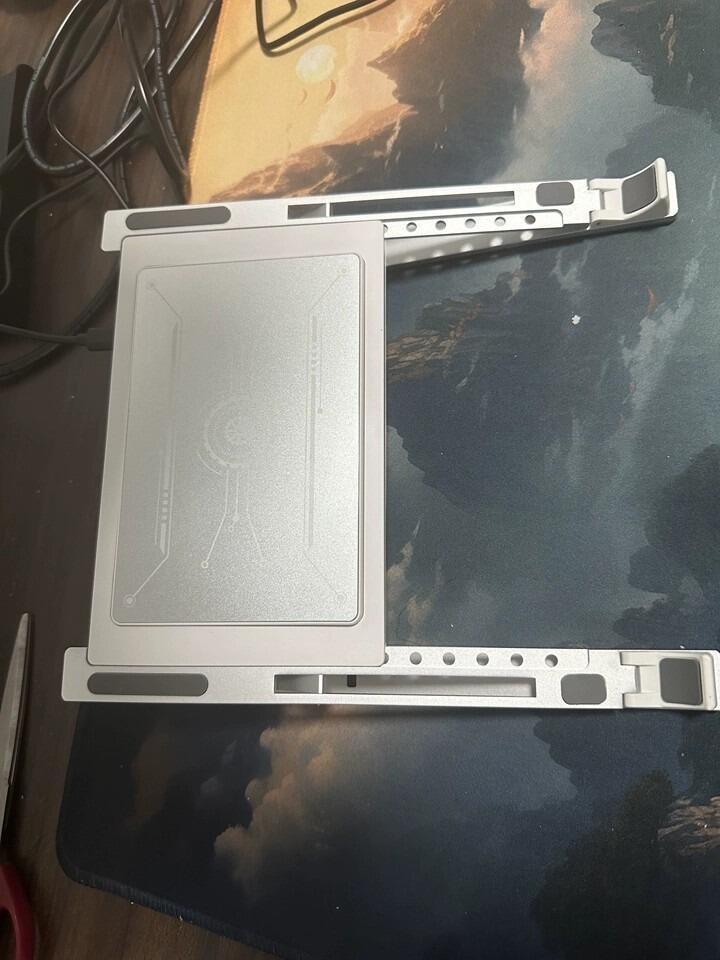
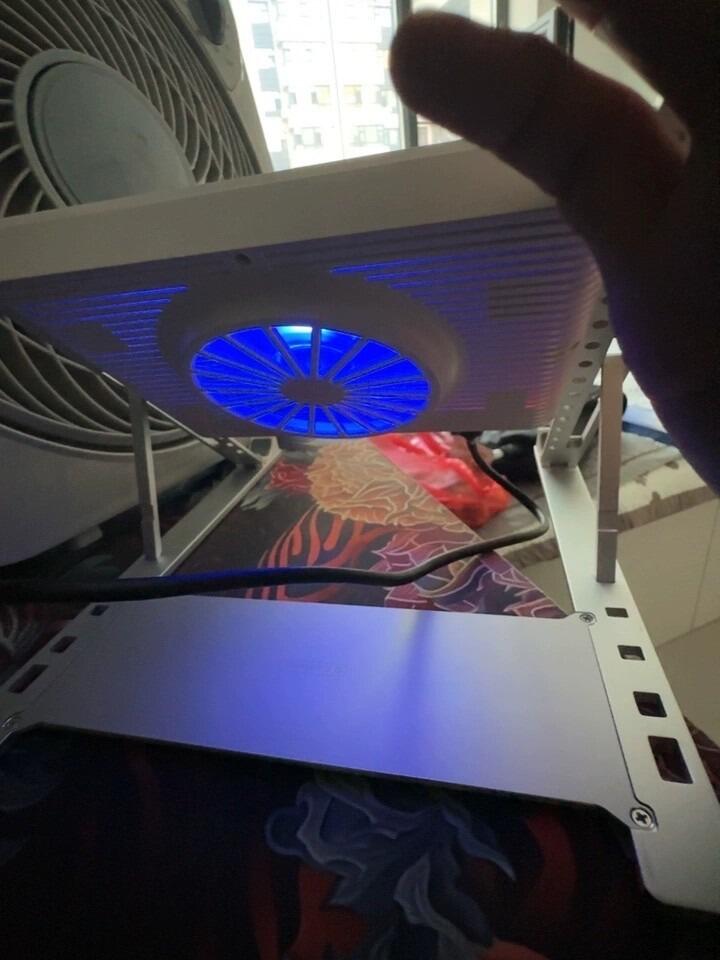
Received it and I'm very satisfied. Works great, looks premium and stylish. Excellent build quality, very sturdy, and shipping was super fast. Will definitely buy again!
M
Mike P.
Finally Unlocked My Mac's Full Performance

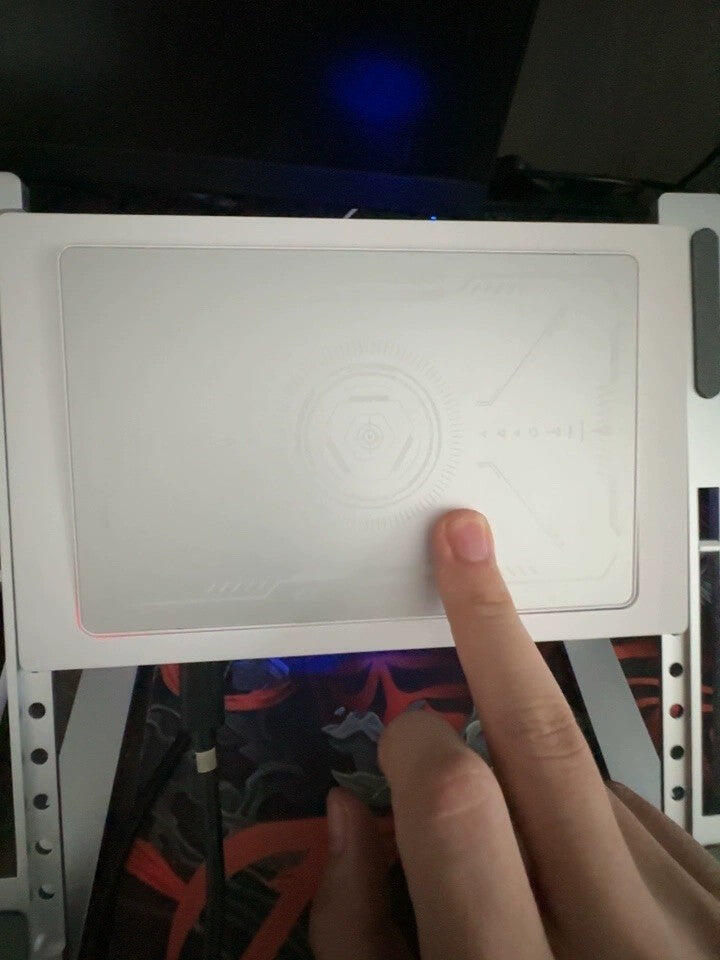
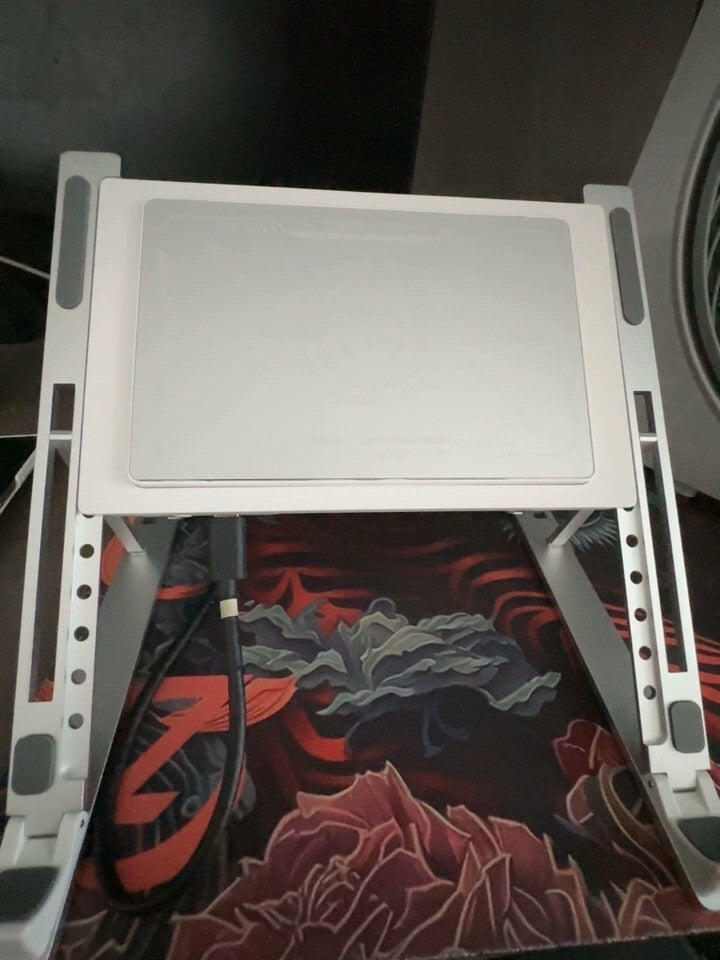
My Mac is great but runs hot, especially in summer — the trade-off for Apple's all-metal design. This cooler uses semiconductor technology that fits snugly against the bottom of the laptop, dissipates heat fast, and finally lets my Mac run at full performance.
J
Jason L.
Great Build, Responsive Support

The aluminum alloy stand feels really solid and the cooling pad stays nice and cool. Customer service was prompt and helpful. Highly recommend!

D
Daniel-Romain B.

It's really a great product. I use it on my MacBook Air M5 who was constantly heating while using software like adobe, Claude or Xcode. To be honest, he can still heat sometimes, but it's clearly less than previously. It's a really nice product. The only bad side of it is the USB cables that it's quite long for laptops so I had to buy another one that was less longer but it's a minimal problem considering what's the product do. I clearly recommend it, especially if your usage of your laptop is mainly light work and sometime you need to use more power of your laptop. You just have to put it on the KryoZon H1 Max and it's done. But I will add it with one little advice, it will be better to put it approximately five minutes before using the high power consuming software, it will allow your laptop to not heat at all.

A
Anonymous

Works pefectly

I
Igor S.

Cools down my MB Pro 14 M5 Max flawlessly. But quite noisy (same as Macbook on full fans blast, but cooling performance is much better)

A
Anonymous

Perfect for My MacBook

The H1 Max works great with my MacBook and is impressively quiet and compact. The semiconductor cooling design is especially nice for longer workloads. A special thanks to Carolyn for her outstanding customer service and for going above and beyond to help me. Great product and great support!

D
Dodo

Great product. Fast delivery.

O
Olivia C.
Solid Product

Great product all around. Does exactly what it promises.

R
Rachel T.
Instant Cool-Down

Genuinely impressed — the moment I plugged it in, it cooled right down. No more worrying about lag while gaming. Very happy with this purchase!